How to use Analytics on your Notion links?
One of the cool features of Notions11 Pro, is to add analytics on your Notion links. By using this function, you can exactly tell how often your links were accessed and from which location. Wow!
In this blog we will show you exactly how you can enable analytics on your links.
The first step is to signup on Notions11 and register your free account. Untill the end of 2023 all free accounts get access to all the Notions11 Pro features, including Analytics. Sweet :)
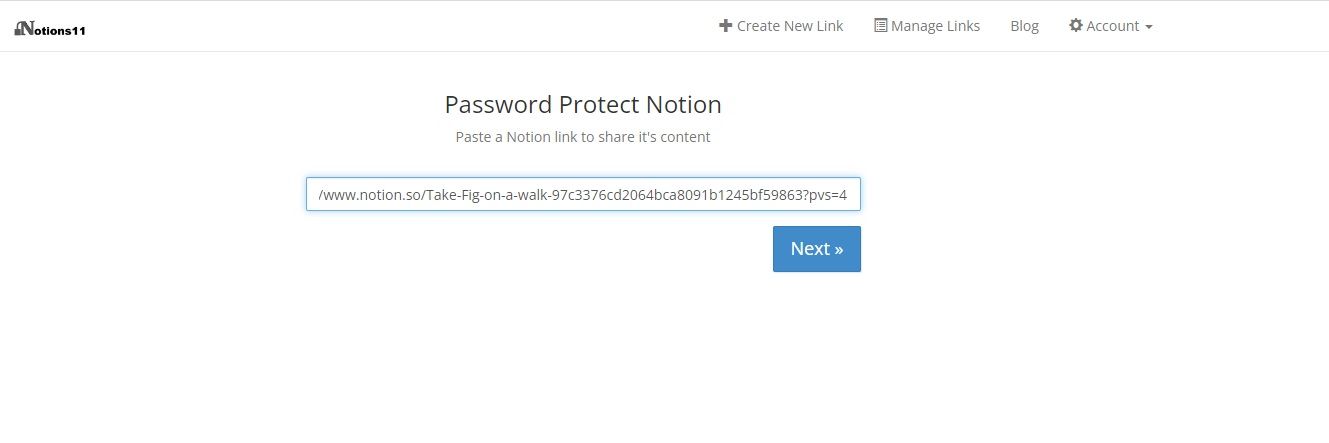
After you have registered your account, just log in and click on Create Link. Paste your Notion link and click on Next.
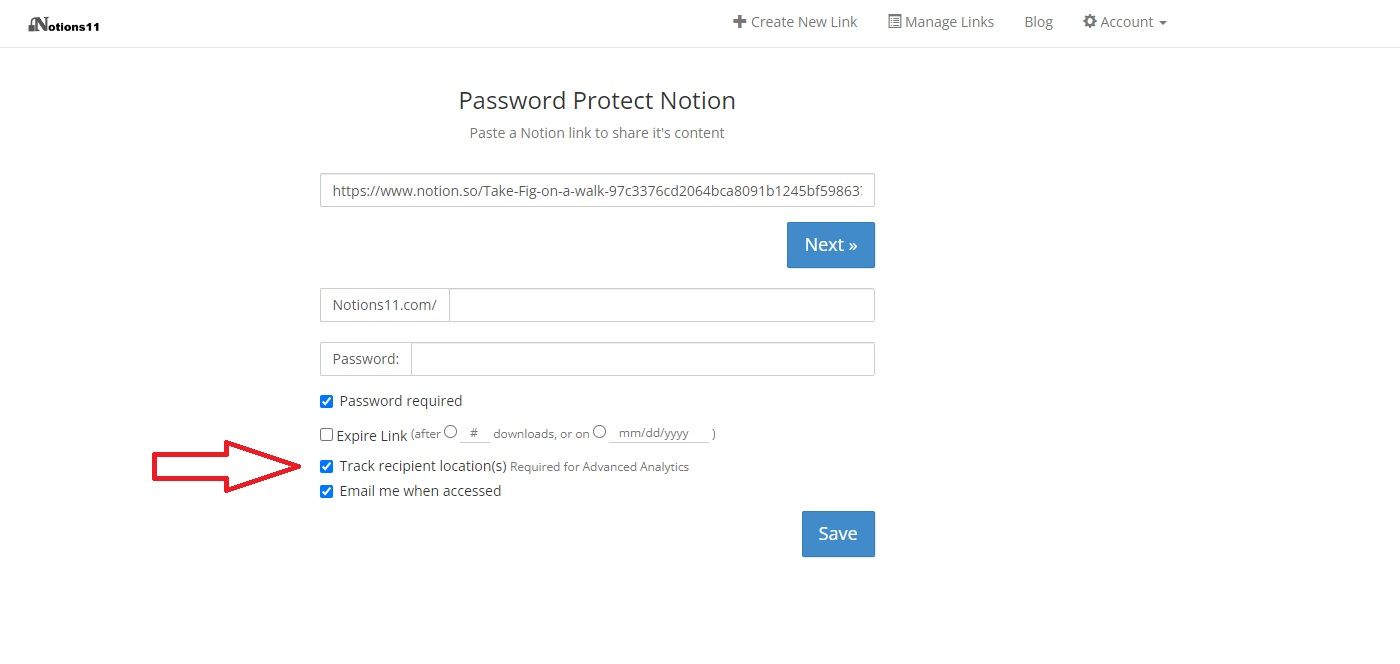
Now it is important that you select the 'Track recipient locations' before you Save your link. Optionally you can also select the 'Email me when accessed' button, if you want to receive a notification when someone accessed your link.
Now you are all set and done.
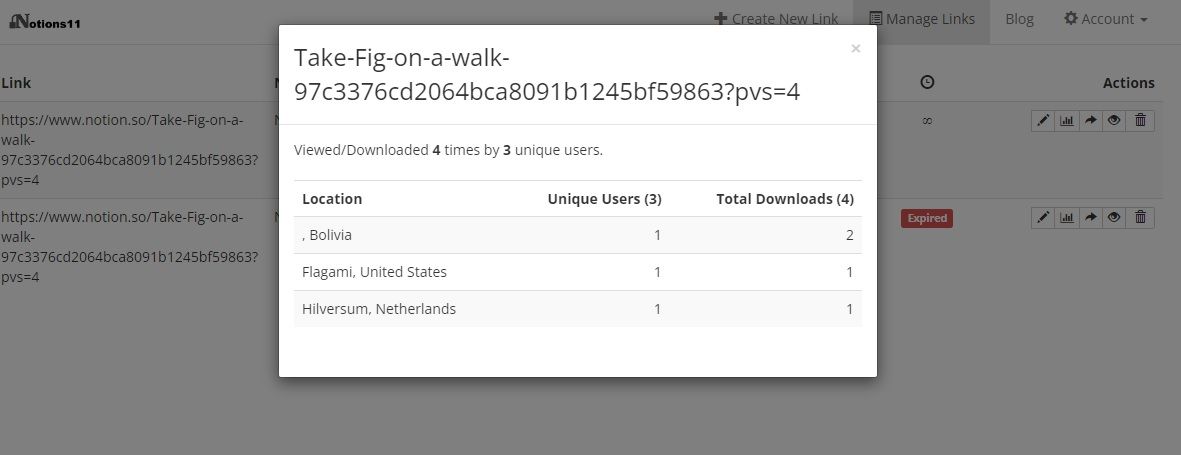
Analytics are now enabled and active on your link. So where can you check those analytics? By clicking on Manage Links you will see a list of all the Notion links that you have shared. Clicking on the second 'Action' icon will show you the analytics for that link.
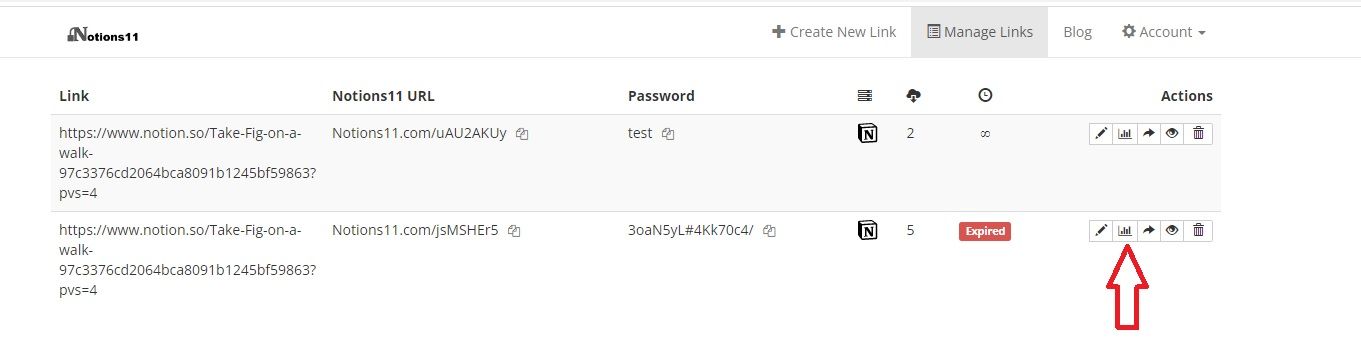
You will now see a list of how often your link was opened and by how many different users. Also, you will see from which locations/countries the link was accessed.
A shirt with a classic stripe pattern is a traditional favourite. A home kit represents the club's traditional identity, while the away kit offers a fresh look for different fixtures. When readers look into Brazil football shirt, a comparison of fit, design and intended use can make the available options easier to understand. A shirt with a simple design is often the most versatile.